How to auto-reply to Instagram comments with a DM (step-by-step)
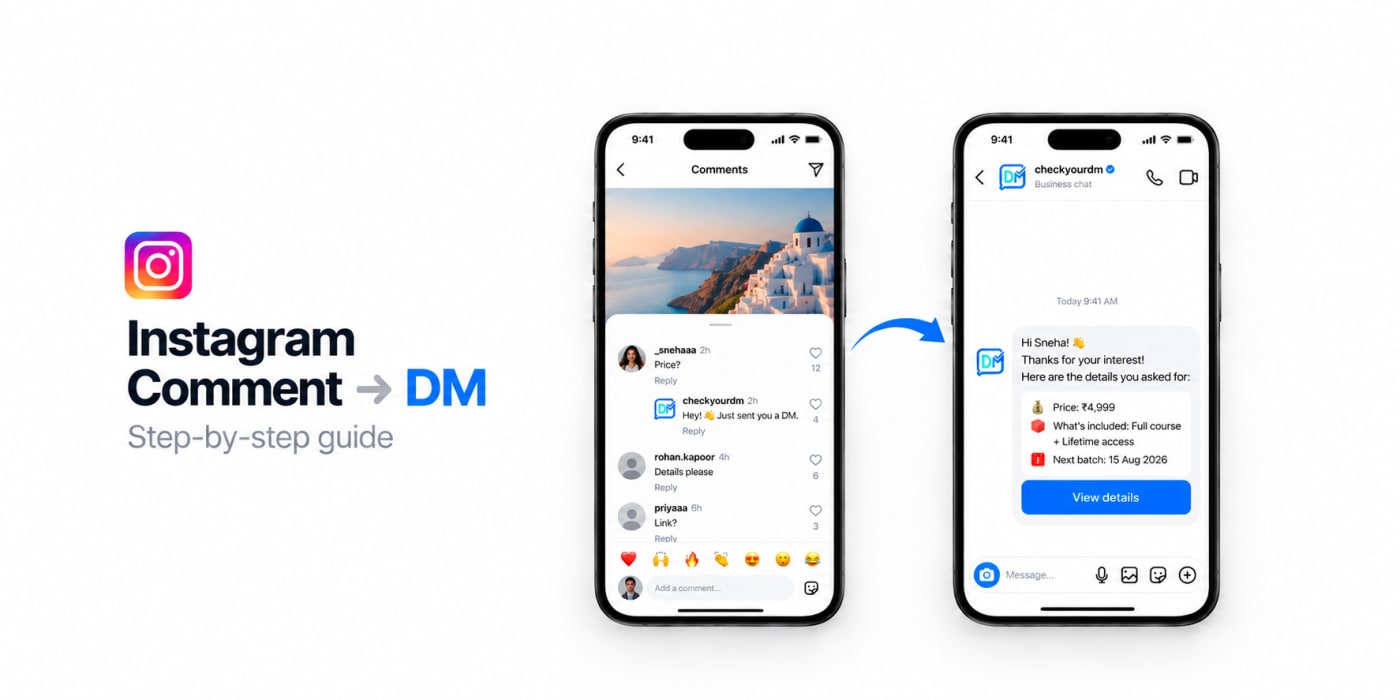
You post a reel. It does well. People start commenting:
"Link?"
"How much?"
"Send me details 🙏"
You try to reply to each one by hand… until there are too many, and you give up. Those were real customers — and they slipped away.
There's a better way. You can auto-reply to Instagram comments with a DM. The moment someone comments a word like "link" or "price", they get a message from you automatically — with your link, your offer, anything you want. No late replies. It works 24/7, even while you sleep.
This guide shows you how to set it up, step by step, in plain language. No tech skills needed.
What "comment-to-DM" actually means
It's simple.
You pick a post. You pick a word — let's say "LINK". Then:
- Someone comments "LINK" on that post.
- They instantly get a comment reply and a DM from you with the link.
- You can also reply to their comment in public, like "Just sent it to your DMs! ✅"
That's it. One comment, one automatic DM. People call this comment-to-DM automation.
Real example: A home baker posts a cake reel and writes "Comment PRICE for the full menu." Everyone who comments PRICE gets the menu in their DMs ith a humble comment reply — automatically. She wakes up to 40 new chats instead of 40 missed comments.
Why this is worth doing
- You never miss a lead. Every interested person gets a reply, even at 2 AM.
- You reply when interest is hottest. (within seconds) People act in the first few minutes of curiosity — not two days later.
- You save hours. No more copy-pasting the same link 100 times.
- You move the chat into DMs. That's where real conversations — and sales — happen.
- It runs on autopilot. Set it once, and it keeps working on its own.
How to set it up, step by step
You'll need two things: an Instagram Business or Creator account (free to switch to in your Instagram settings), and a tool to run the automation. We'll use CheckYourDM because it's free to start and built for exactly this.
Step 1 — Create a free account
Go to checkyourdm.com and sign up. It's free, and you don't need a card.
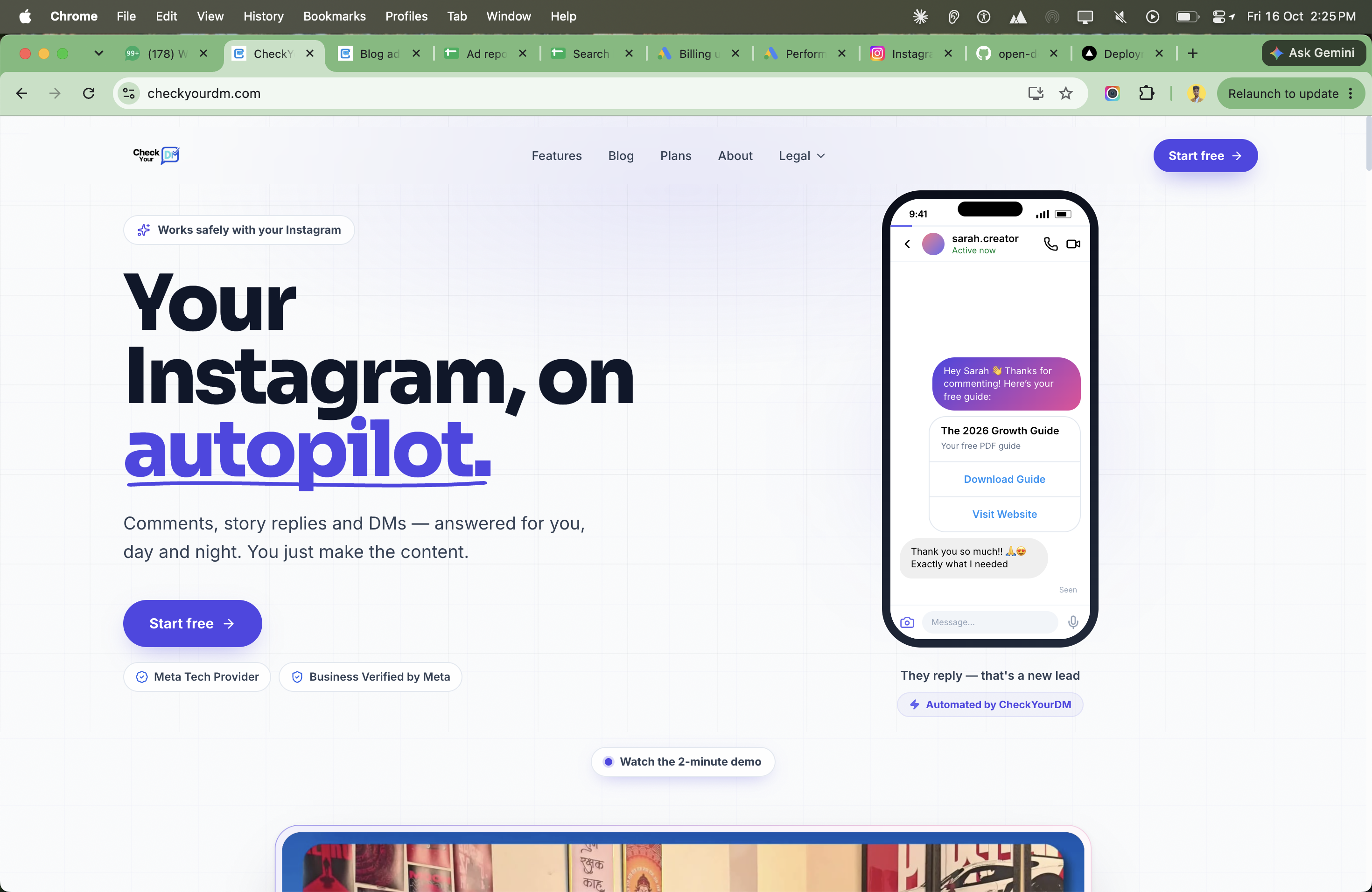
Step 2 — Connect your Instagram
Click connect and log in through Instagram's own secure screen. You never share your password with anyone — it all happens on Instagram's side. (Because CheckYourDM is the approved one by Instagram itself)
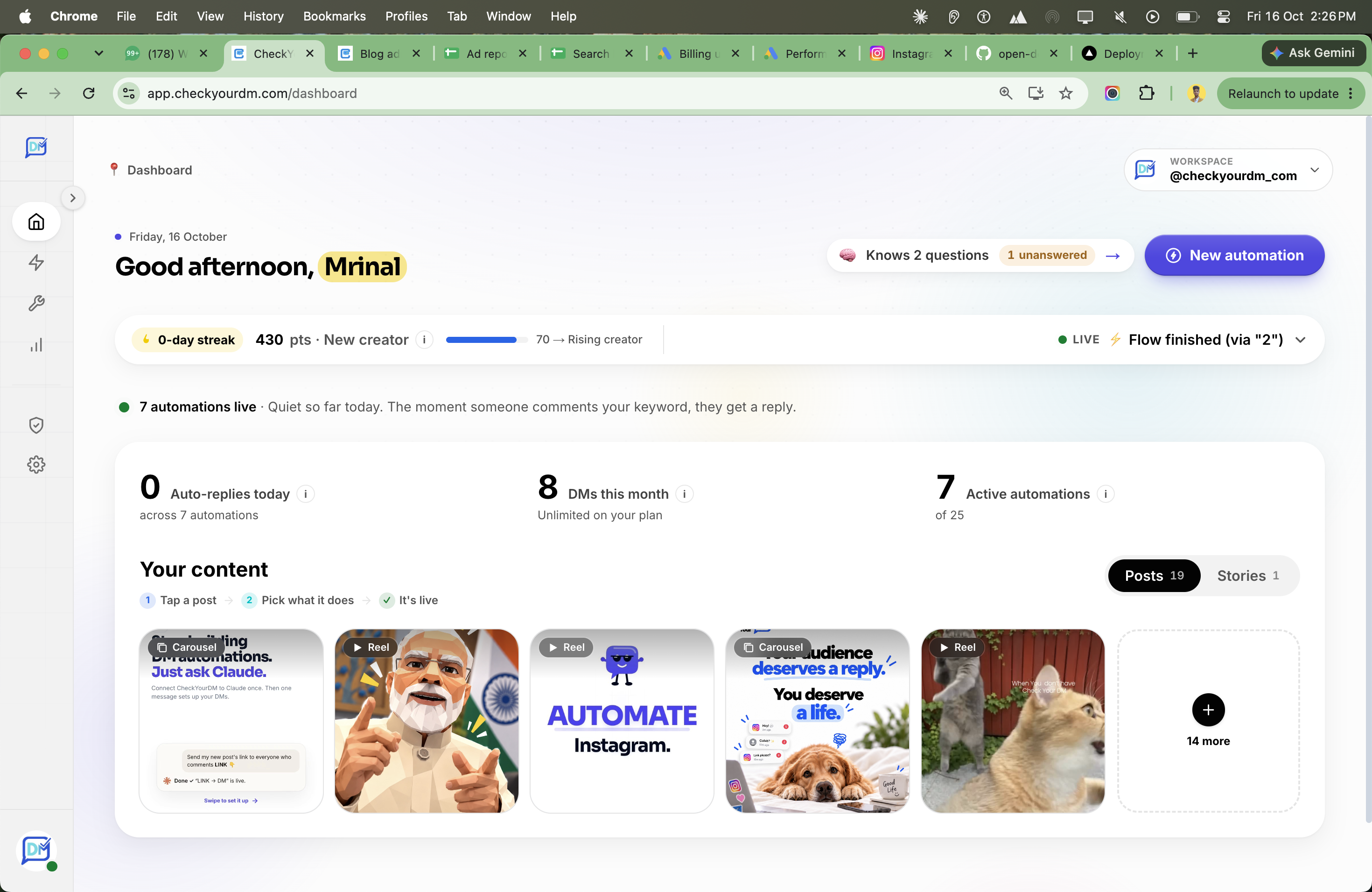
Step 3 — Create a new automation
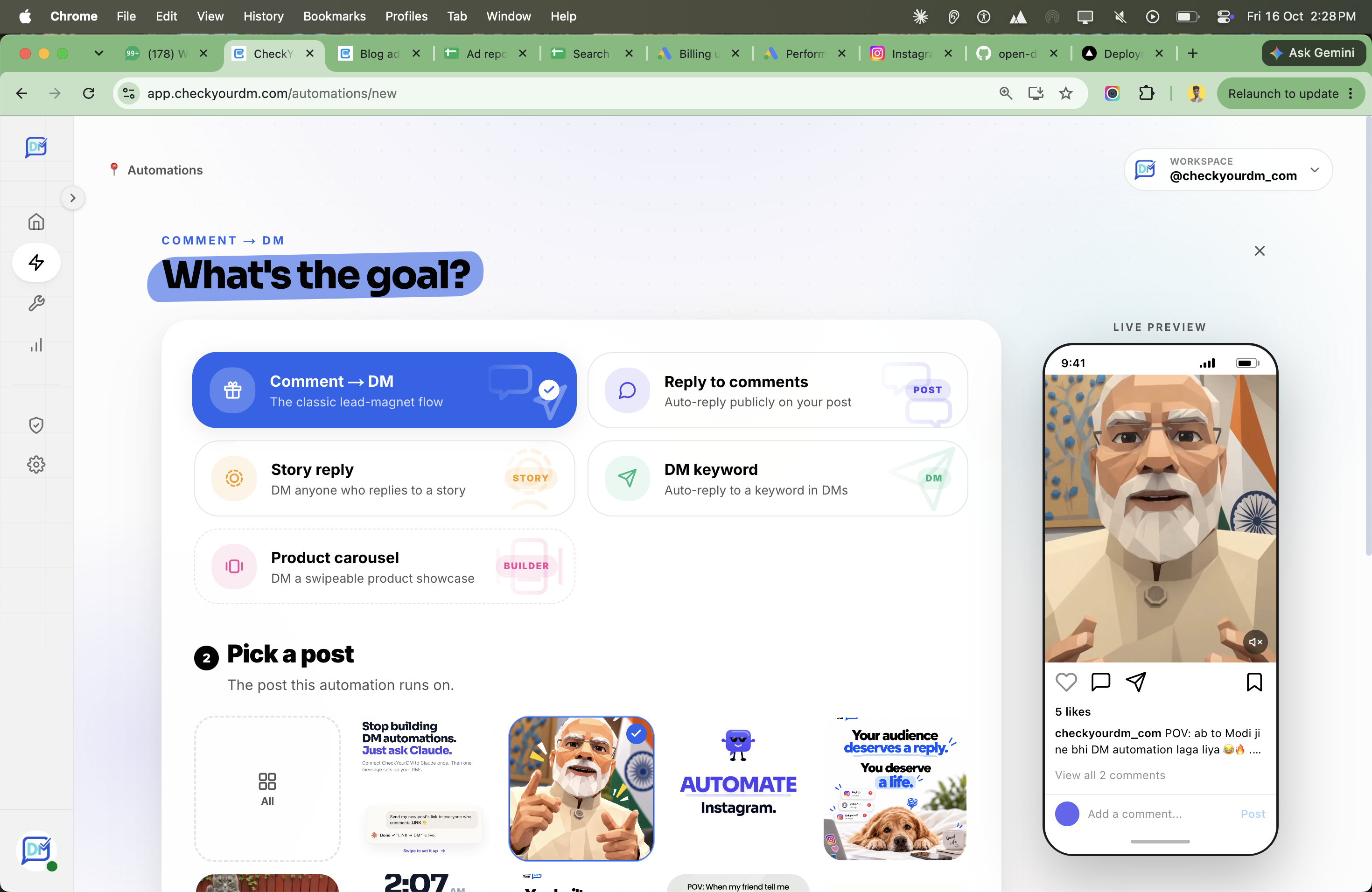
Open the builder and choose "Comment to DM." This is the one that watches your comments and sends a DM.
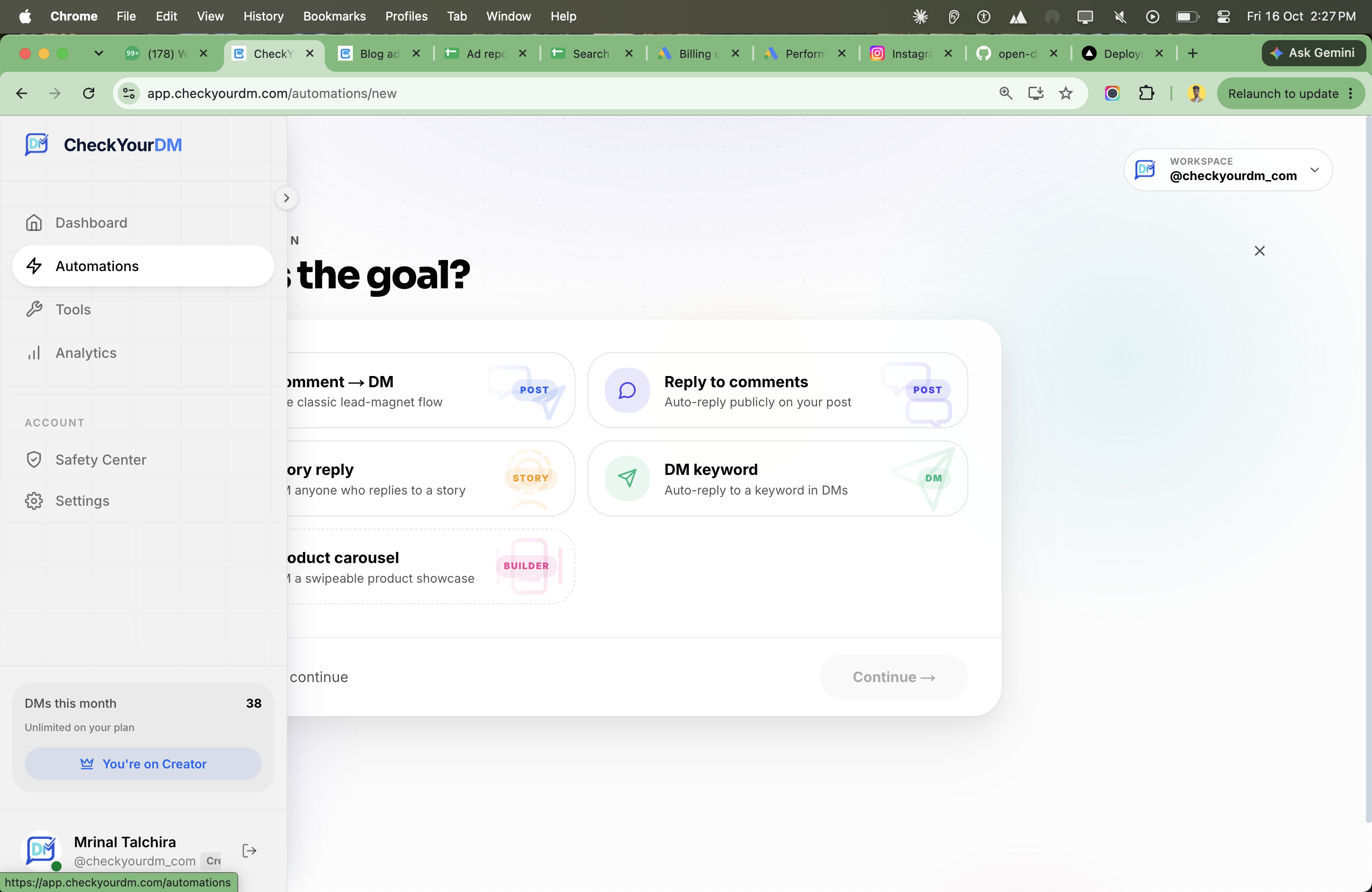
Step 4 — Pick your post or reel
Choose the post you want this to work on. You can use one you've already shared, or set it up for your next one.
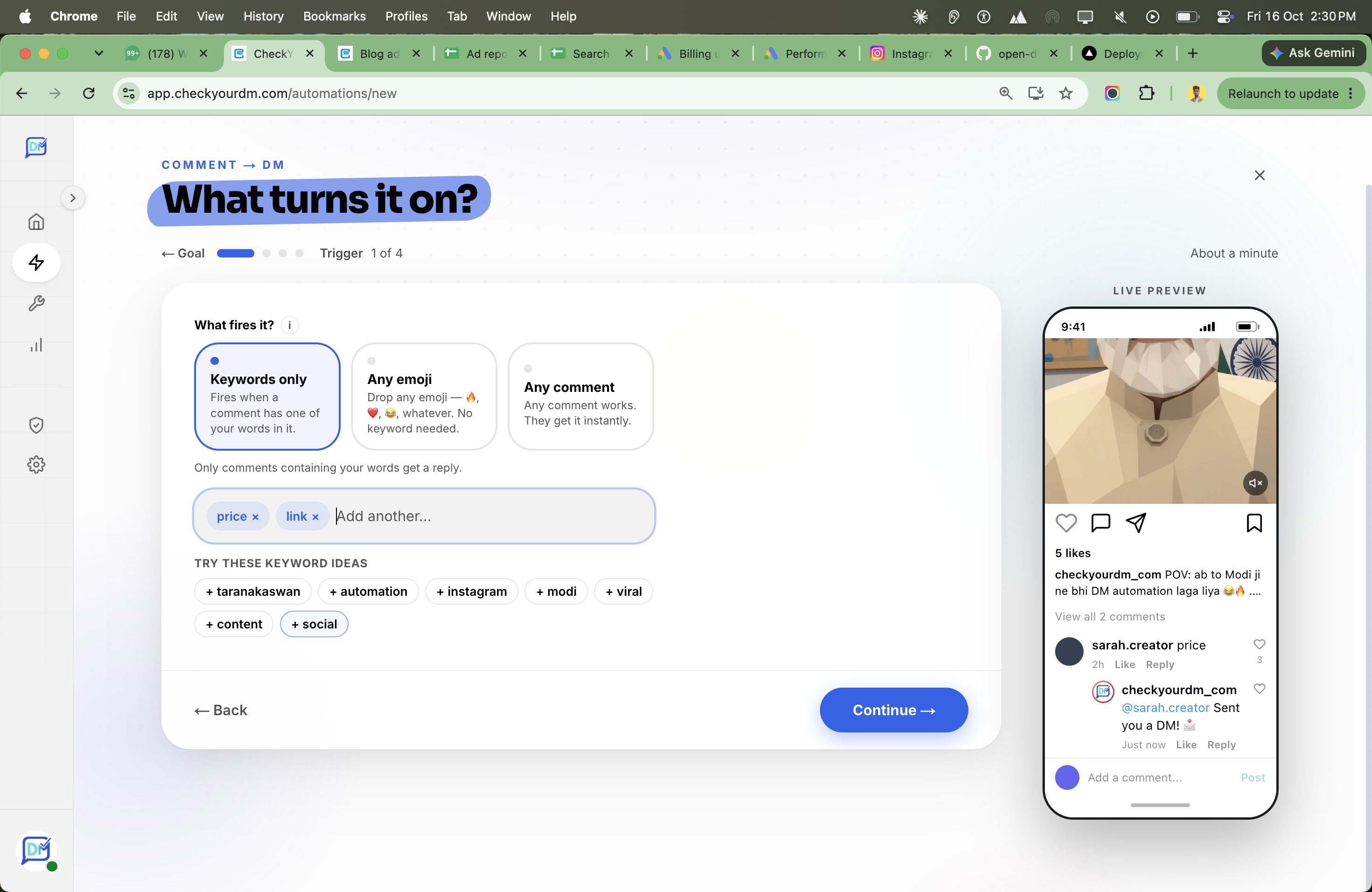
Step 6 — Choose your keyword
This is the magic word people will comment to get your DM. Keep it short and clear — like LINK, PRICE, GUIDE, or INFO. You can add more than one.
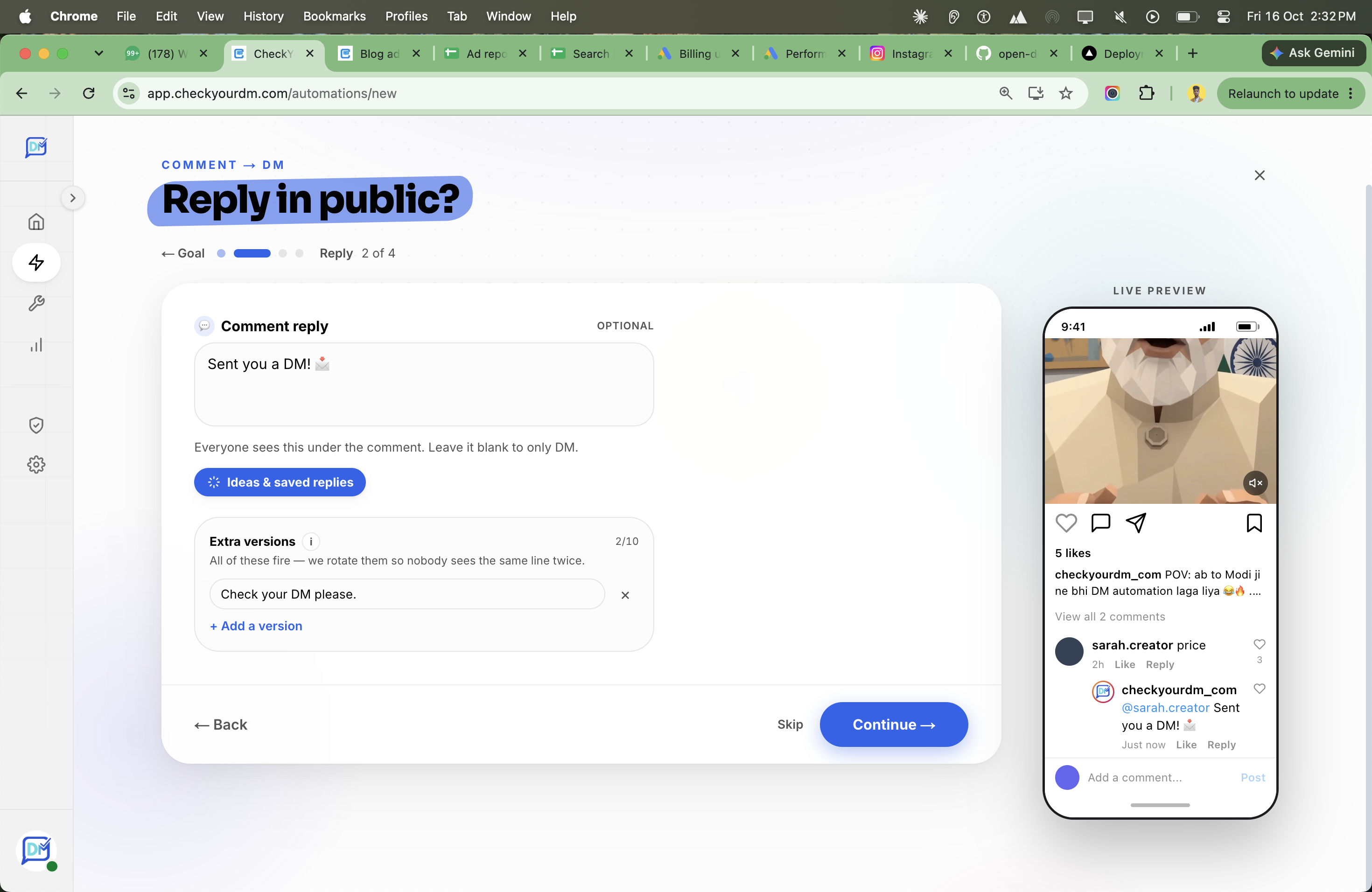
Step 5 — (Optional) Reply to the comment too
Turn on a public reply like "Check your DMs! ✅" or "Cool just send you the link! ✅". It tells that person to go look — and it shows everyone else that commenting actually works.
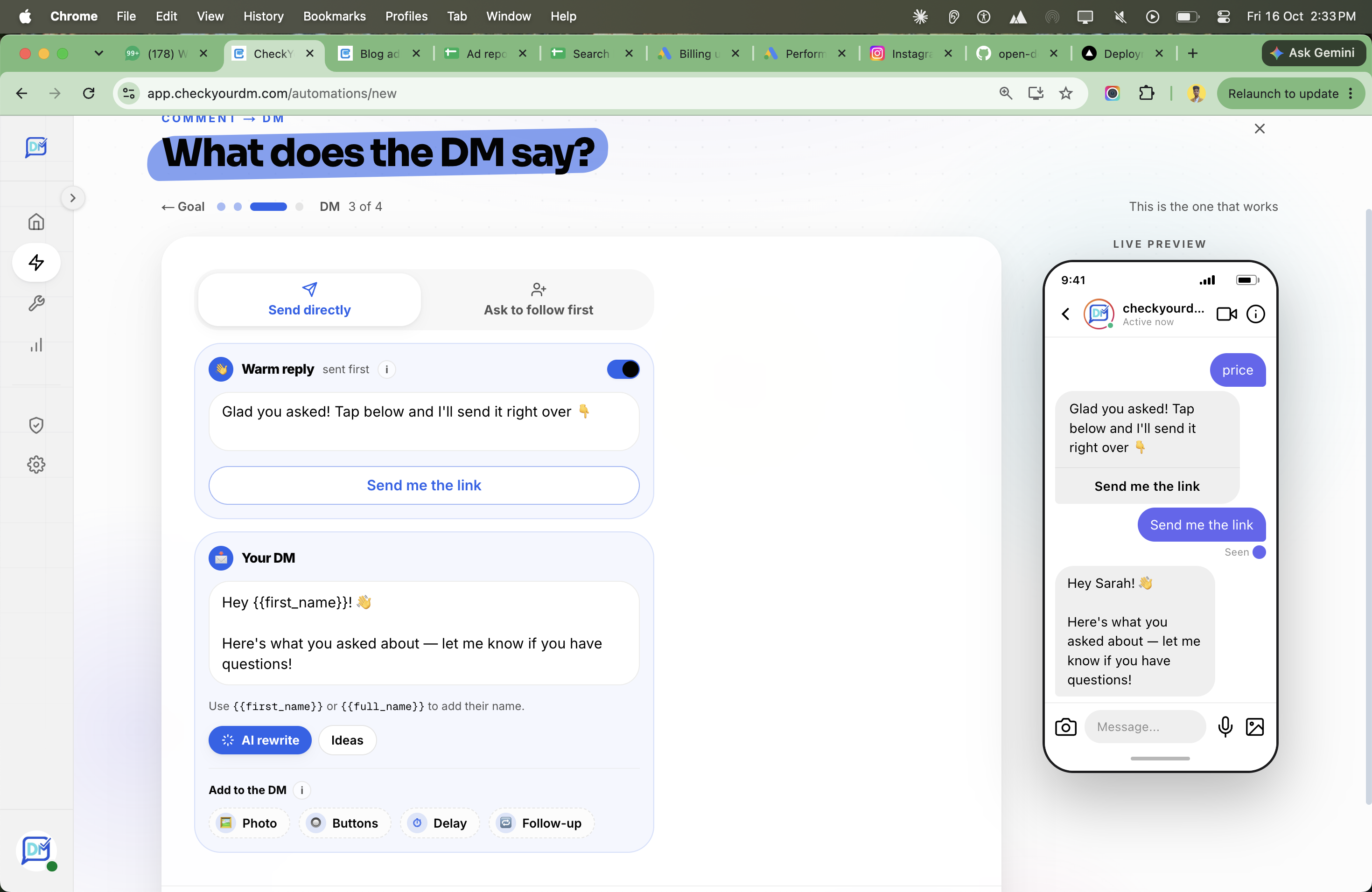
Step 7 — Write the DM
Type the message people will receive. Keep it short and friendly, and include your link or a button. For example:
Hey! 👋 Here's the link you asked for 👉 yourlink.com
Anything else? Just reply here!
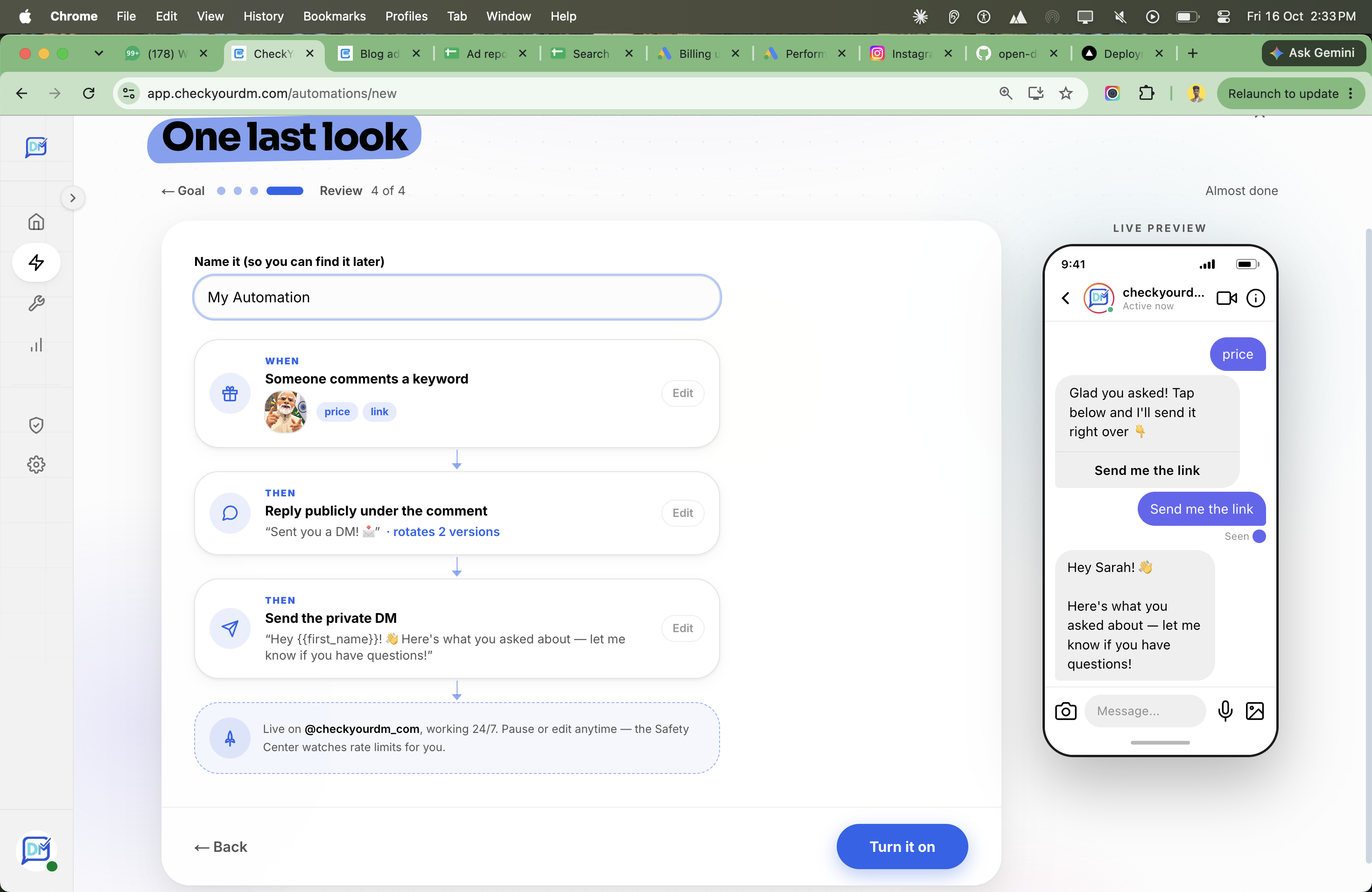
Step 8 — Turn it on
Flip it live. Done! Now every time someone comments your keyword, they get your DM automatically.
Is this safe? Will Instagram ban me?
Fair question — and an important one.
Short answer: yes, it's safe — if you do it the official way.
Stay away from shady "bots" that log into your account with your password. Those break Instagram's rules and can get you blocked.
The safe way uses Instagram's official tools (the API that Meta provides for exactly this). It never asks for your password, it sends messages at a normal, human pace, and it only replies when someone talks to you first. That's the approach a trusted tool like CheckYourDM uses — so your account stays safe.
Tips to get way more replies
- Tell people to comment. In your caption or video, say "Comment LINK and I'll DM it to you." People won't comment the keyword if they don't know about it.
- Use one clear keyword. Don't confuse people with five words — one is enough.
- Keep the DM short. One friendly line and one link or button. Long messages get ignored.
- Always add the public reply. Many people don't notice a DM unless a comment reply nudges them.
Mistakes to avoid
- No call to action. If you never ask people to comment, very few will.
- A vague keyword. Words like "yes" or "me" get triggered by accident. Pick a real word like PRICE.
- Too many links. One link beats three. Make the next step obvious.
- A DM with no public reply. Add the comment reply so people actually check their inbox.
Frequently asked questions
Do I need a business account?
Yes — a Business or Creator account (both free). You can switch in Instagram's settings in under a minute.
Is it really free?
Yes, you can start free. CheckYourDM's free plan includes 1,000 DMs a month — plenty to begin with.
Will it reply to every comment?
No — only when someone comments your keyword. You stay in control.
Does it work on reels?
Yes — reels and normal posts both.
Is my account safe?
Yes, as long as you use a tool built on Instagram's official API (like CheckYourDM). No password sharing, and a natural sending pace.
Ready to try it?
Auto-replying to comments with a DM is one of the easiest ways to turn your Instagram into a lead machine — without any extra work from you.
Set up your first comment-to-DM automation free with CheckYourDM, and never miss a "link?" comment again.
Put your Instagram DMs on autopilot
Auto-reply to comments, story replies and DMs — the official, safe way. Free to start.
Start free

