How to Connect Instagram to Claude AI — Manage Your DMs by Chat
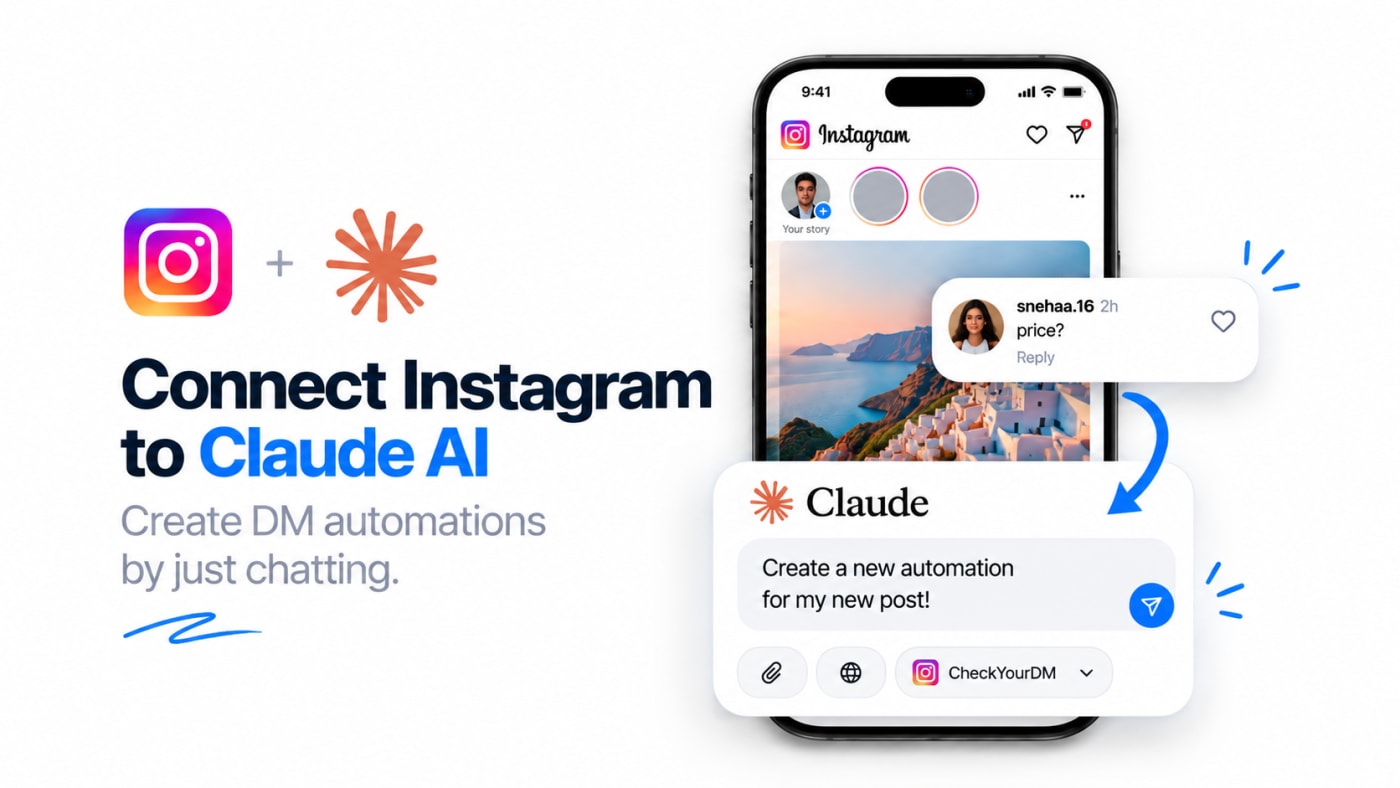
Imagine telling an AI: "Reply 'Check your DMs 👋' to anyone who comments 'price' on my latest reel" — and it just does it. No menus, no clicking around.
That's exactly what happens when you connect your Instagram to Claude AI with CheckYourDM.
In this guide you'll connect Claude (Anthropic's AI assistant) to your CheckYourDM account in about two minutes, and start managing your Instagram DM automations just by chatting. It's free to start — no card needed.
What you can do once it's connected
- Ask Claude about your automations and recent posts, in plain English.
- Test any automation with a safe dry-run before you turn it on.
- See your basic analytics — how many times things fired, DMs sent, and more.
- Build & manage automations by chat (on the Creator and Business plans).
What you'll need
- A free CheckYourDM account.
- An Instagram Business or Creator account connected to it (free to switch in Instagram's settings).
- Claude — on the web (claude.ai) or the Claude app.
How to connect Instagram to Claude (step by step)
Step 1 — Set up CheckYourDM
Sign up free at checkyourdm.com and connect your Instagram through Instagram's own secure screen. (You never share your password.)
Step 2 — Copy your MCP link
In CheckYourDM, open Tools → AI clients (MCP). You'll see your MCP server URL — it looks like https://app.checkyourdm.com/api/mcp. Click Copy.
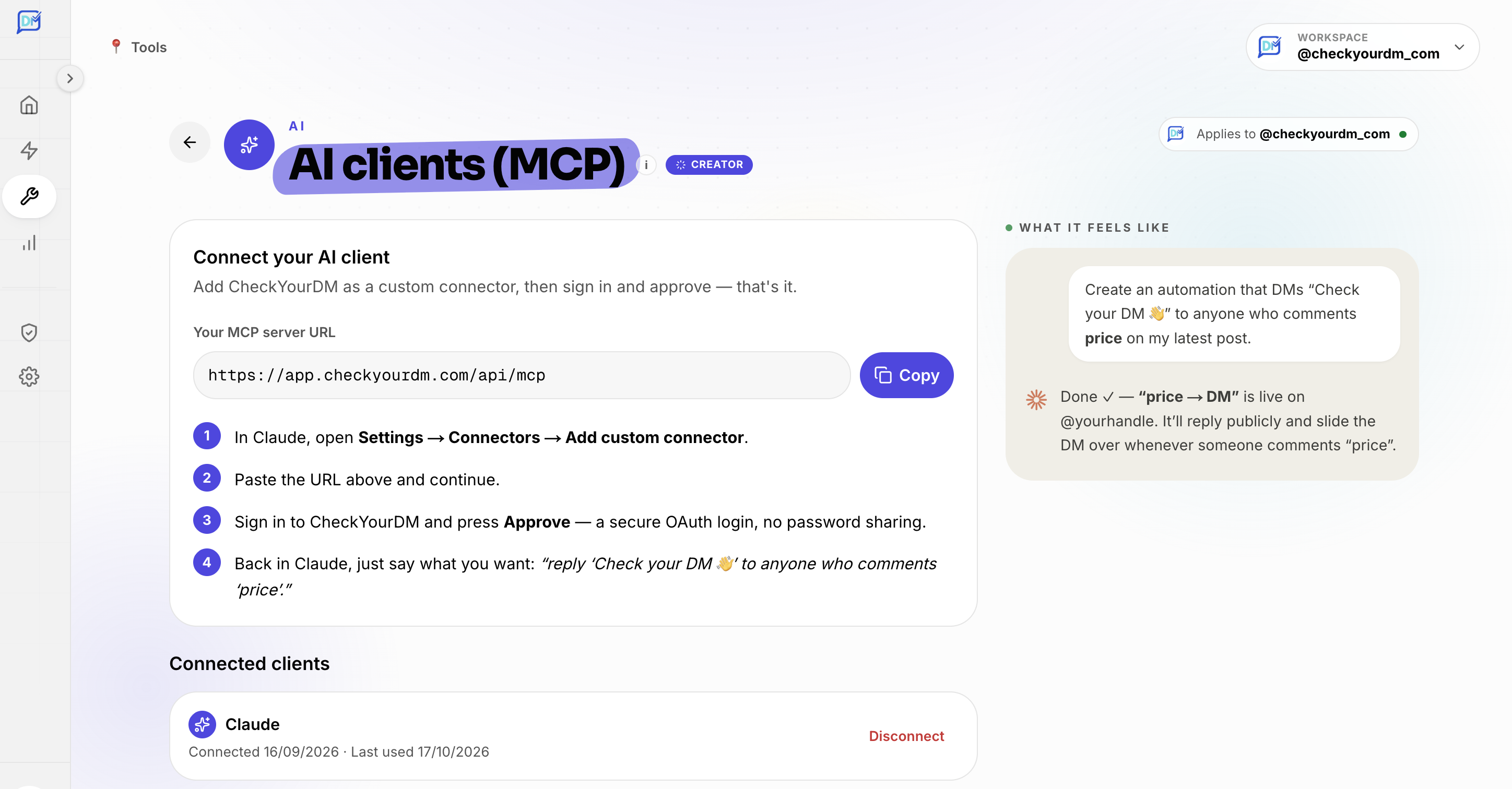
Step 3 — Add it to Claude
In Claude, open Settings → Connectors → Add custom connector. Paste the URL you copied and continue.
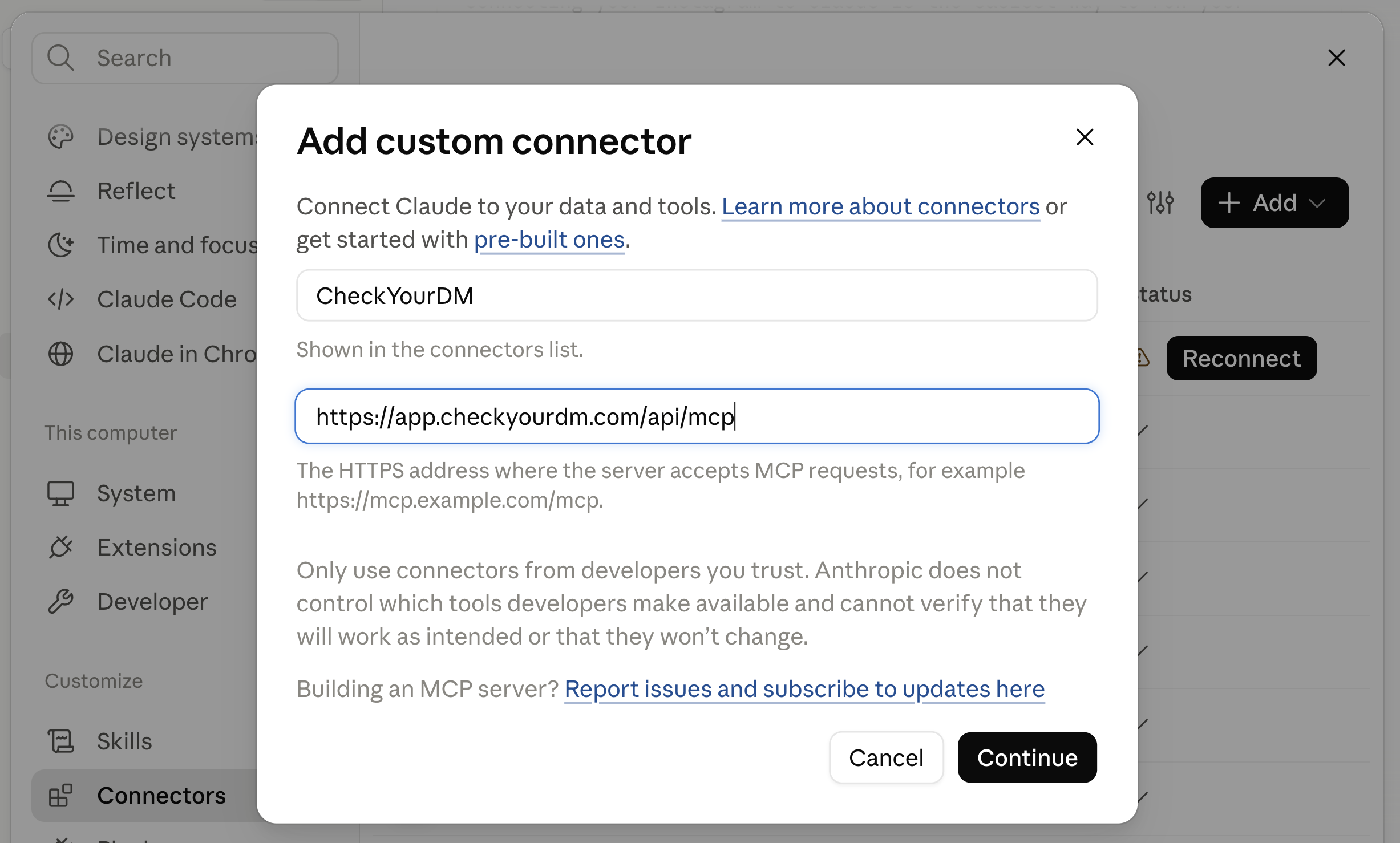
Step 4 — Sign in and approve
Claude opens a secure CheckYourDM sign-in. Log in and press Approve. It's a standard OAuth login — Claude never sees your Instagram password or any secret keys.
Step 5 — Start chatting
That's it — you're connected! Now just tell Claude what you want:
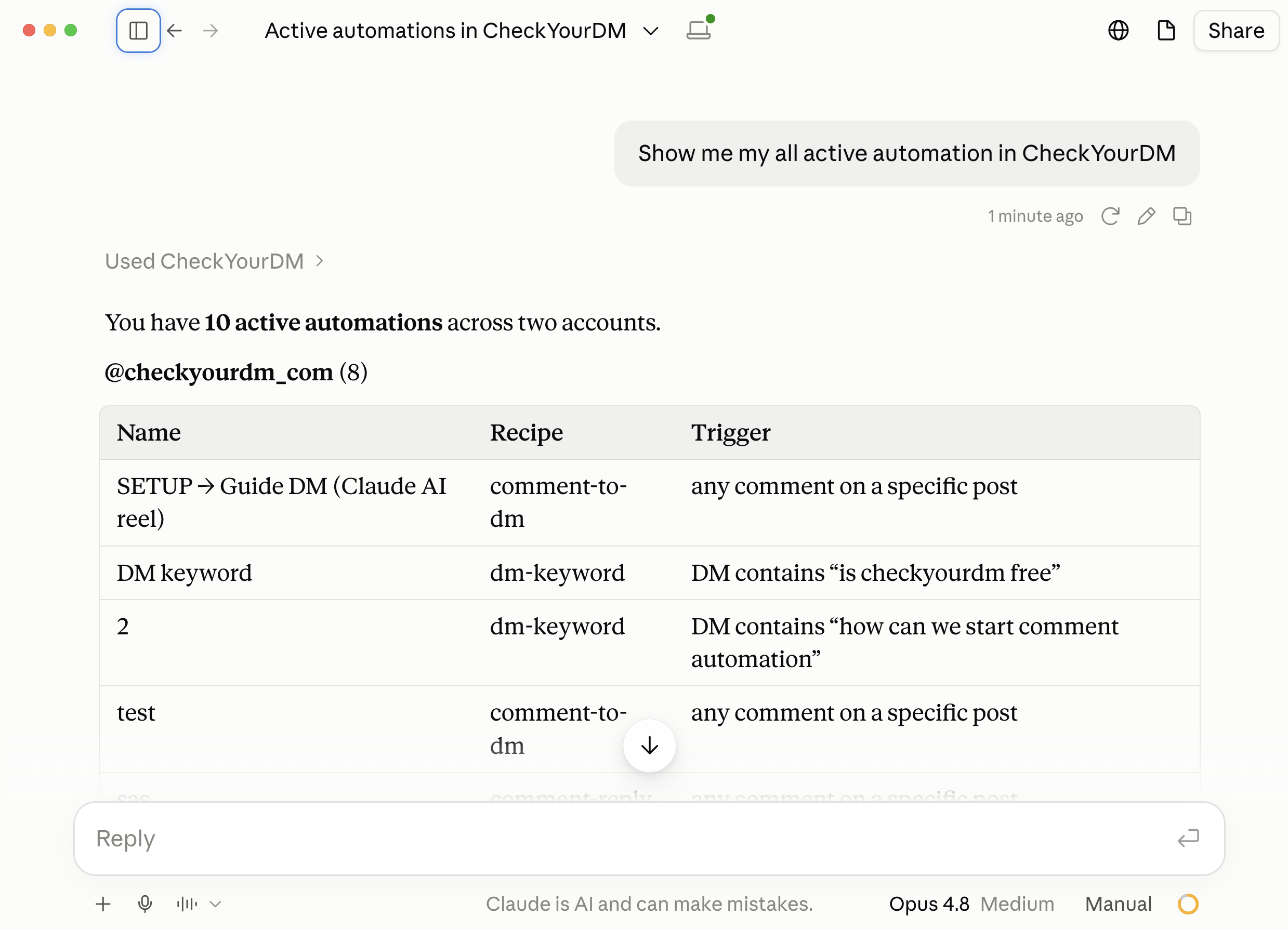
- "What automations do I have?"
- "Show my recent posts."
- "Test my 'price' automation — what would it do?"
- "Reply 'Check your DMs 👋' to anyone who comments 'link' on my latest reel."
Claude talks to CheckYourDM behind the scenes and gets it done.
Free vs paid — what you get
- Free: connect Claude, ask about your automations and posts, dry-run test them, and see basic analytics. Perfect for trying it out.
- Creator / Business: everything above, plus build, edit, enable/disable and delete automations — all by chat.
So you can connect and explore for free, and upgrade only when you want Claude to actually build and manage automations for you.
Is it safe?
Yes. CheckYourDM runs on Instagram's official API, and the connection uses secure OAuth:
- Claude never sees your Instagram password or access tokens.
- You sign in yourself and press Approve — nothing happens without you.
- You can disconnect anytime from CheckYourDM → Tools → API tokens.
A few prompts to try
- "Which automation got the most replies this week?"
- "Reply 'Sent! 📩' to anyone who comments 'guide', and DM them my link."
- "Turn off my story-reply automation."
- "Show my analytics for the last 7 days."
Ready to try it?
Connecting your Instagram to Claude is the easiest way to run your DMs — no dashboards to dig through, just ask.
Connect free with CheckYourDM and start managing your Instagram automations by chat today.
Put your Instagram DMs on autopilot
Auto-reply to comments, story replies and DMs — the official, safe way. Free to start.
Start free

